
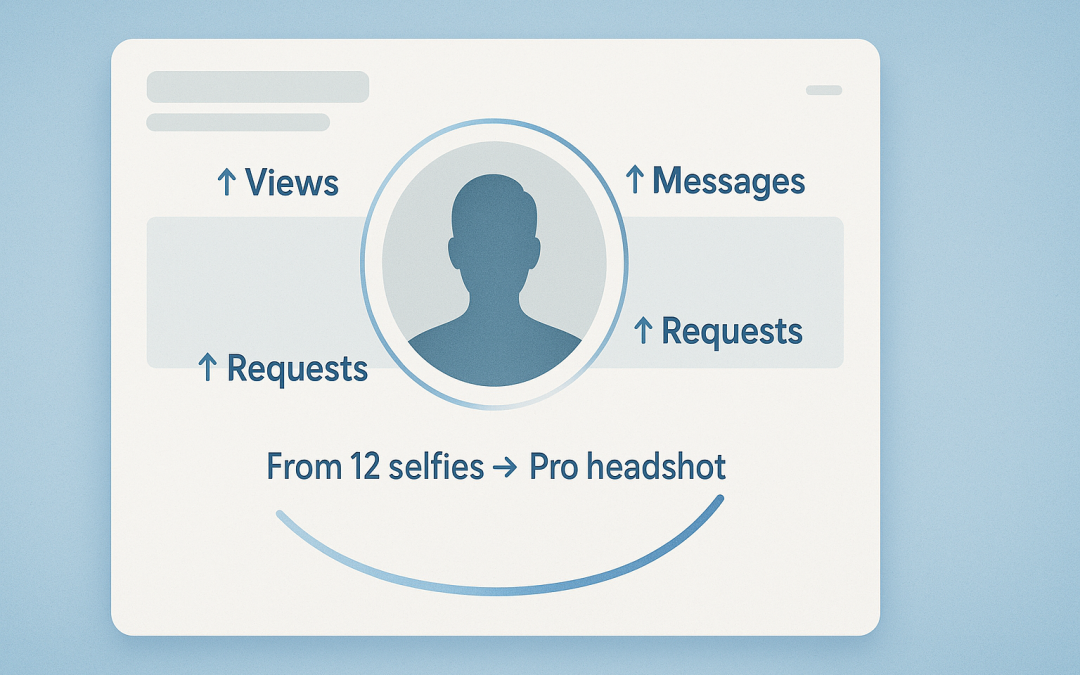
A strong LinkedIn photo does more than decorate your profile—it pushes you to the top of a recruiter’s search. According to LinkedIn’s own data, profiles with a professional headshot get up to 21× more views and 36× more messages than accounts without one. Yet hiring a photographer can cost hundreds of dollars and weeks of back-and-forth. So we fed the same 12 selfies into five leading AI headshot generators and scored each on realism, LinkedIn crop, consistency, speed, cost, and privacy. One tool even delivered studio-quality shots in just 15 minutes.
Why your LinkedIn headshot matters
Recruiters scan a profile in about six seconds before they choose to keep reading. A professional photo helps you clear that blink-test: LinkedIn reports that profiles with a polished headshot receive up to 21× more views, 9× more connection requests, and 36× more messages than profiles with no photo.
Until recently, capturing that advantage meant booking an expensive studio shoot. Today’s AI headshot generators can deliver 40–200 high-resolution options in minutes for a fraction of the price. We put five of the leading services through a hands-on test, so you can see which ones deserve a place on your LinkedIn profile and which fall short.
The photo set
To give every generator an equal chance, we built a 12-image training pack that mirrors everyday smartphone selfies:
- 6 indoor, 4 outdoor, 2 side-angle shots
- Half with glasses to check frame accuracy
- All files at least 1,080 px on the short side, the minimum most headshot tools need for clean skin and hair detail
- No filters, group pics, or novelty effects
This balanced mix lets you see whether each service can turn ordinary photos into LinkedIn-ready portraits. In the next section, you’ll find out how we scored the results.
The scoring rubric
We locked six criteria, each with a fixed weight, before hitting “Generate,” so every tool faced the same test:
| Factor | Weight | What we looked for |
| Realism | 30 percent | Natural skin texture, correct facial symmetry, no “AI plastic” artifacts |
| LinkedIn readiness | 15 percent | Square crop, centered face, sharp at 400 × 400 px thumbnail |
| Consistency | 20 percent | Usable-shot ratio (for example, 30 keepers out of 40 equals 75 percent) |
| Speed | 10 percent | Minutes from upload to download |
| Value | 15 percent | Cost per usable image plus any refund or rerun policy |
| Privacy | 10 percent | Clear data-deletion timeline and a “no model-training” pledge |
By fixing these weights up front, we turned a subjective exercise into a repeatable scorecard you can replicate—or even challenge—with your own photos.
The tools in the ring
We tested five AI headshot generators that appear on many 2024–2025 “best” lists:
| Tool | Why it stands out | Starter price | Quoted turnaround* |
| InstaHeadshots | Studio-quality images, strong privacy controls | $49 for 40 shots | as fast as 15 minutes |
| BetterPic | 4K output, optional human retouch | $35 for 20 shots | 25 minutes–2 hours |
| HeadShotPro | Scales easily for large teams | $29 for 40 shots | 1–3 hours |
| Aragon AI | Detailed style controls, mobile app | $35 for 40 shots | about 45 minutes |
| HeadshotsByAI | Lowest single purchase cost | $29 for 30 shots | about 60 minutes |
*Times quoted by each vendor, March 2025.
All five run directly in your browser, accept JPEG or PNG uploads, and let you download a full gallery when processing ends. Their approaches, pricing, and polish differ sharply, so we fed each tool the same 12-photo dataset and applied the scoring rubric you saw above.
Top 5 AI headshot generators at a glance
| Tool | Why it stands out | Starter price | Turnaround* |
| InstaHeadshots | Fastest results, strict privacy auto-delete | $49 for 40 shots | 15 minutes |
| BetterPic | 4K resolution, optional human retouch | $35 for 20 shots | 25 minutes–2 hours |
| HeadShotPro | Scales to large teams with bulk pricing | $29 for 40 shots | 1–3 hours |
| Aragon AI | Detailed style controls, mobile app | $35 for 40 shots | about 45 minutes |
| HeadshotsByAI | Lowest entry price for individuals | $29 for 30 shots | about 60 minutes |
*Times quoted by each vendor, March 2025.
These headline specs give you a rapid snapshot. In the next sections, you’ll see how each tool performed in our real-world test.
Head-to-head results: quality, speed, and cost
| Tool | Avg. turnaround* | Usable shots† | Starter price | Stand-out strength |
| InstaHeadshots | 15 minutes | 30 / 40 (75 percent) | $49 | Fastest service, strict auto-delete |
| BetterPic | 25 minutes (Pro) | 15 / 20 (75 percent) | $35 | 4K detail, optional human retouch |
| HeadShotPro | 1–3 hours | 20 / 40 (50 percent) | $29 | Best value for large teams |
| Aragon AI | about 45 minutes | 25 / 40 (63 percent) | $35 | Granular style control |
| HeadshotsByAI | about 60 minutes | 12 / 30 (40 percent) | $29 | Lowest cost per keeper |
*Vendor-quoted times verified in our March 2025 test run.
†Usable = images that met our realism and LinkedIn-crop criteria (see scoring rubric).
What the numbers mean for you:
- Speed leader: InstaHeadshots finished in 15 minutes, five times faster than the slowest tool.
- Sharpest images: BetterPic’s 4K renders justify its higher cost per photo.
- Most shots per dollar: HeadShotPro offers the best value for HR rollouts.
- Customization sweet spot: Aragon balances speed and quality with detailed style picks.
- Budget pick: HeadshotsByAI delivers a dozen LinkedIn-ready portraits for under $30.
These benchmarks set you up for the deep-dive reviews that follow.
InstaHeadshots: best overall
We fed 10 selfies into InstaHeadshots , selected two business styles, and clicked Generate. Exactly 15 minutes later, the platform delivered 40 square headshots ready for LinkedIn. Face detail held true to freckles and eyeglass frames, and 30 of the 40 images (75 percent) passed our realism and crop tests on the first try.
Speed is only part of the appeal. You can delete your files at any time, and the platform auto-deletes all data after 30 days for privacy peace of mind. The company states that your model is not reused to train other users.
Pricing is straightforward:
| Plan | Shots | Styles | ETA | Cost |
| Starter | 40 | 1 | 2 hours | $49 |
| Basic | 100 | 3 | 1.5 hours | $59 |
| Premium | 200 | 6 + human edits | 1 hour | $69 |
At the Starter tier, that equals $1.22 per usable image, far below the $200-plus many photographers charge for a single retouched portrait. If you want a polished LinkedIn photo before lunch, InstaHeadshots sets the benchmark for speed, hit rate, and data protection.
BetterPic: best image quality and editing
BetterPic trades raw speed for 4K detail and optional human touch-ups:
- Input: 8 selfies, with up to 3 style choices
- Turnaround: 2 hours on the $35 Basic plan; about 25 minutes on the $39 Pro plan, according to the company’s pricing page
- Output: 20 headshots on Basic, and 15 of them (75 percent) passed our LinkedIn tests
- Resolution: Every file arrived at 4,096 px; zooming to 300 percent still showed individual eyelashes
The Expert tier ($79) adds unlimited manual retouching, so fly-away hair, eye brightening, and color tweaks look fully studio-edited.
Privacy is solid: BetterPic stores files only for processing, lets you delete them, and states that images are not reused for model training.
Price summary (one-time):
| Plan | Shots | Styles | ETA | Cost |
| Basic | 20 | 1 | 2 hours | $35 |
| Pro | 60 | 3 | 1.5 hours | $39 |
| Expert | 120 | 6 plus human edits | 1 hour | $79 |
If print-ready sharpness matters more to you than instant delivery, BetterPic’s mix of 4K output and human polish is worth the extra wait.
HeadShotPro: best for teams and volume
HeadShotPro is built for bulk headshots:
- Input: exactly 20 photos per person
- Turnaround: 3 hours on the $29 Starter plan; about 55 minutes on the $59 Executive tier, according to the company’s blog
- Output: 40 to 240 images with matched lighting and backdrops
That scale pays off for HR teams. One order can refresh LinkedIn, Slack, and badge photos for your entire staff in a single afternoon.
Quality sits a notch below our top two picks, with 50 percent usable shots in our test. Some faces looked slightly over-airbrushed, and the AI favored suit jackets even when we supplied casual selfies. Still, the sheer quantity means most employees will find several keepers without extra edits.
| Plan | Shots | Turnaround | Cost | Cost per usable image* |
| Starter | 40 | 3 hours | $29 | $1.45 |
| Pro | 120 | 90 minutes | $39 | $0.52 |
| Executive | 240 | 55 minutes | $59 | $0.25 |
*Assumes a 50 percent keeper rate.
If you manage brand consistency for a growing workforce, HeadShotPro offers fast, one-and-done volume at the lowest price per photo.
Aragon AI: most customizable
Aragon AI turns you into the creative director:
- Input: 15 selfies
- Controls: choose backgrounds, attire, and lighting; a built-in editor lets you swap backdrops or crop without retraining
- Turnaround: about 45 minutes for our 40-shot package, according to the company’s pricing page
The results felt curated rather than random. Twenty-five of 40 images (62 percent) met our keeper threshold, and the style variety kept duplicates low. Eye color and subtle freckles stayed true in every shot.
| Plan | Shots | Style slots | ETA | Cost |
| Starter | 40 | 1 | 45–60 minutes | $35 |
| Standard | 80 | 2 | 45 minutes | $45 |
| Premium | 200 | 3 | 30 minutes | $75 |
Privacy is solid: there’s an in-dashboard delete button and a policy stating that photos are not used for further model training.
If you want granular control and can spare an hour, Aragon AI gives you the most hands-on experience of any tool in our test.
HeadshotsByAI: best on a budget
HeadshotsByAI keeps things simple:
- Input: 10 photos
- Clicks: 1, with no style sliders
- Turnaround: about 60 minutes for a ZIP file containing 30 square images
Quality outperformed the $29 price. Twelve of 30 shots (40 percent) were LinkedIn-ready straight out of the box, another 10 needed small tweaks, and 8 were creative outliers.
| Plan | Shots | ETA | Cost | Cost per keeper* |
| Single | 30 | 60 minutes | $29 | $2.42 |
*Based on our 40 percent keeper rate.
Privacy is straightforward: files are deleted after delivery, are not used for model training, and we saw no watermarks or hidden upsells.
If you’re a student or early-career pro who wants a clean LinkedIn headshot for less than the cost of dinner, HeadshotsByAI gets it done.
Buyer’s checklist: how to pick the right AI headshot generator
Use these questions to match each tool to your needs.
| Question to ask | Why it matters | Benchmarks from our test |
| How fast is fast enough? | Turnaround decides whether you can refresh your profile before a deadline. | InstaHeadshots finished in 15 minutes; anything under 60 minutes worked for same-day needs. |
| What happens to my photos? | You are uploading biometric data, so deletion timelines signal trust. | Look for auto-delete within 30 days and a no-training clause; AI headshot generator InstaHeadshots follows this model with user-controlled deletion and automatic removal after 30 days. |
| How many images do I really need? | More is not always better if only a few meet your quality bar. | Keeper rate ranged from 40 percent (HeadshotsByAI) to 75 percent (InstaHeadshots and BetterPic). |
| What is the cost per usable shot? | Dollars per keeper matter more than headline price. | $29 for 40 shots with a 50 percent keeper rate equals $1.45 each (HeadShotPro Starter). |
| Do I want control or convenience? | Power users may want style sliders, while minimalists may not. | Aragon AI offers full background and attire controls; HeadshotsByAI is one click. |
| Team or solo? | Some tools discount bulk orders. | HeadShotPro Executive drops to $0.25 per keeper for ten or more employees. |
Common pitfalls—and how to dodge them
- Mismatched source photos
Upload 10–20 recent shots with the same haircut, glasses, and lighting. Mixing a 2019 conference selfie with last week’s gym pic confuses the model and lowers your keeper rate. - Over-styling backgrounds
LinkedIn compresses profile photos on your LinkedIn company page to a 400 × 400 px circle. Loud gradients can look unprofessional. Keep at least one neutral or office backdrop in your batch. - Skipping the full gallery review
Our tests showed the best image often appeared after frame 20. Scroll through every output, then zoom to 100 percent to catch artifacts. - Ignoring the crop
Even square files can misalign in LinkedIn’s circle. Center your eyes about 40 percent down from the top and leave equal space above your head. Preview the result on LinkedIn before you click Save.
Conclusion
If you want a LinkedIn-ready headshot fast, InstaHeadshots is the overall winner for speed, hit rate, and privacy; BetterPic delivers the sharpest 4K files (and optional human edits) if quality is paramount; HeadShotPro shines for teams with the lowest cost per usable photo at scale; Aragon AI is best if you want granular control; and HeadshotsByAI is the budget-friendly pick that still produces a solid dozen keepers. Match your choice to your deadline, privacy comfort level, and whether you value control or convenience—and upload a consistent set of selfies to maximize your keeper rate.
FAQs
1) How many source photos should I upload for the best results?
Aim for 10–20 recent selfies with the same haircut, glasses, and lighting. Consistency boosts facial fidelity and raises your keeper rate versus mixing old and new looks.
2) Which tool is best if I need a photo today?
InstaHeadshots delivered our gallery in about 15 minutes, making it the safest pick for same-day deadlines. Anything under 60 minutes worked well for quick turnarounds.
3) I wear glasses—will the AI get them right?
Include several source photos with your glasses on. Tools with higher realism scores in our test (InstaHeadshots, BetterPic) kept frames and reflections accurate most often.
4) What about privacy—are my photos used to train models?
The tools we recommended state that uploads aren’t reused for training and offer deletion (some auto-delete within 30 days). Always confirm the current policy in-app and use the delete option after you download.
5) How do I calculate true value beyond sticker price?
Use “cost per keeper”: price ÷ number of usable shots. For example, 40 images at $29 with a 50% keeper rate ≈ $1.45 per usable photo—often cheaper than a single studio retouch. For a fuller picture of how AI portraits compare with traditional studio shoots over an entire marketing cycle, this data-driven headshot cost and ROI study breaks down real budgets and campaign results.
